
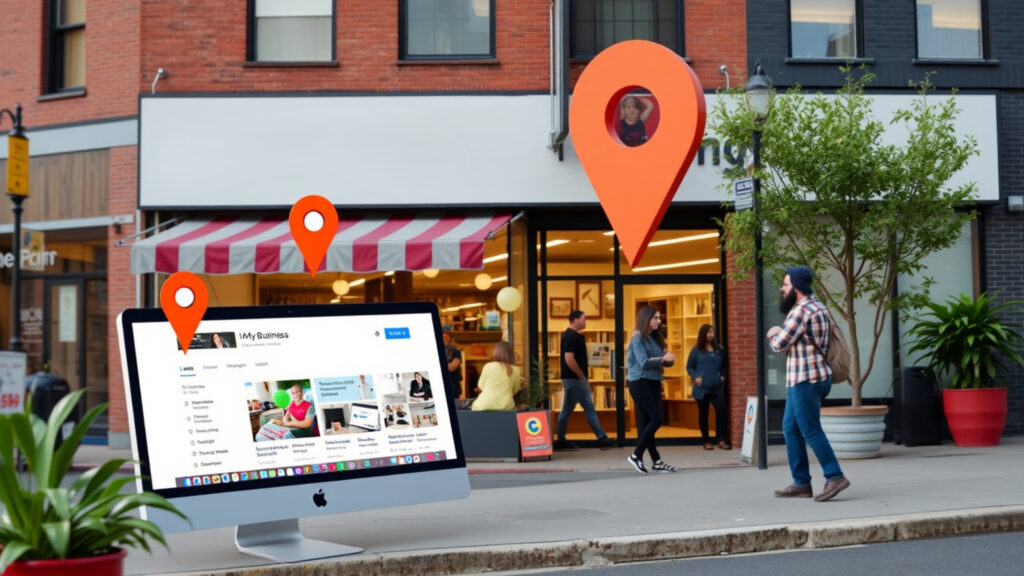
I’ve watched too many business owners burn through their marketing budgets on Facebook ads while completely ignoring the customers actively searching for them on Google. It’s like having an “OPEN” sign that only works sometimes – except this one’s free and works 24/7.
Here at Leverage Local we share our guide to get more profit from your business on Google in the easiest way possible.
Why Your Google Posts Get Seen
Here’s something most business owners don’t realize: when someone searches for your type of business or looks up your company directly, your Google posts appear right at the top of your profile. That’s prime real estate that your potential customers see before your reviews, photos, or anything else.
Think about the last time you scrolled through Facebook and actually clicked on a business post. Now compare that to when you’re actively looking for a restaurant or service provider on Google. The difference is huge – one person is killing time, the other is ready to spend money.
The Visibility Advantage You Can’t Get Anywhere Else
“Here’s the kicker—Google notices activity. Regular posting signals currency and engagement, boosting profile visibility over inactive competitors via interaction metrics.”
Just like our article on turning your website into a 24/7 sales machine, your Google posts need consistent attention to work their magic.
Different Post Types for Different Goals
Not all posts are created equal. Product posts let you highlight specific offerings with photos, descriptions, and “Learn More” buttons – perfect for retail stores, restaurants, and service providers who want to showcase what they do best.
Event posts create urgency and get people moving. Use these for sales, workshops, grand openings, or anything with a deadline. They include date and time information, making it easy for customers to plan ahead.
The Types of Posts That Drive Sales
Last week, a restaurant owner told me his Google posts weren’t working. Turns out he was posting stock photos of generic burgers instead of his actual signature dishes. His customers wanted to see what they’d really get, not some perfect photo that looked nothing like his food.
Writing Copy That Gets People to Act
Your first few words determine everything. If someone’s scrolling through your profile, those opening words either grab their attention or lose them forever.
Instead of writing “We’re having a sale this weekend,” try “Save 30% on all kitchen appliances this Saturday only – call now before we sell out!” The second version tells people exactly what they get, when they need to act, and what to do next.
Every post needs a clear next step. That’s calling your business, visiting your website, or stopping by your location, to make it obvious. Don’t make people guess what you want them to do.
Photos That Work
Don’t overthink specs—use 1200x900px images (4:3 ratio, min 480x270px, ≤5MB JPG/PNG). Prioritize real products, locations, teams for authenticity. Videos excel for demos/tours (higher engagement); genuine trumps polished.
Video posts typically get more attention than photos. They’re perfect for showing how something works, giving people a tour of your space, or introducing your team. You don’t need Hollywood production quality – authentic beats perfect every time.
Before You Hit Publish:
☐ First 100 characters hook attention
☐ Clear benefit upfront
☐ Specific CTA (e.g., ‘Call Now’)
☐ Photo optimal (1200x900px, 4:3 ratio)
☐ Natural local keywords
☐ Working link/next steps
☐ 150-300 characters (max 1500)
☐ Spell-checked, no excess caps
Staying Consistent Without Being Boring
Keep your visual style consistent – same colors, similar photo styles, your logo in the same spot. This builds recognition over time. But don’t let consistency become predictability. Mix up your content types and angles to keep things interesting.
Smart Strategies Your Competitors Don’t Know About
I had a client who thought posting every day would help. Three months later, she was burned out and her engagement had actually dropped. More isn’t always better – smart posting beats frequent posting every time.
When to Post for Maximum Impact
Different audiences are active at different times. Most businesses see better engagement when they post during business hours on weekdays, but your mileage may vary. Pay attention to when your posts get the most views and clicks, then adjust accordingly.
Consistency matters more than volume. Two to three posts per week keeps you visible without overwhelming people. If you have frequent events or updates, you might post more often, but don’t force it.
Tracking What’s Important
Here’s where most businesses mess up – they post and hope for the best. Smart business owners track views, clicks, and calls from their posts to see what really drives results.
If your “behind-the-scenes” posts get twice as many clicks as your product photos, make more behind-the-scenes content. If your Tuesday posts consistently outperform your Friday posts, shift your schedule. Let the data guide your decisions.
One local restaurant noticed their “kitchen prep” videos generated 40% more website clicks than their standard food photos. They shifted to include more process videos and saw a 25% increase in online reservations over three months.
Learning from Your Competition (No foul-play)
Check out what your competitors are posting, but don’t just copy their approach. Look for gaps you can fill with your unique perspective. If everyone in your industry posts product photos, try behind-the-scenes content. If they all focus on features, talk about benefits.
Leverage Local Will Make Everything Work Together
Here’s where most businesses drop the ball – they treat their Google posts like isolated marketing activities instead of part of a bigger strategy.
Connecting Your Marketing Channels
Your best social media posts can become great Google posts with a few tweaks. That Instagram photo of your team might work perfectly for a Google post about your company culture. Just adjust the caption to focus on what local customers care about.
Use your Google posts to drive traffic to specific pages on your website. Got a new blog post about home maintenance tips? Write a Google post that teases the content and links to the full article.
Boosting Your Local Search Rankings
Regular posting helps your local SEO by giving Google fresh content and engagement signals. When people interact with your posts, it tells Google your business is relevant and active.
Work local keywords naturally into your posts. Don’t stuff them in awkwardly – just mention your city, neighborhood, or local landmarks when it makes sense. “Serving downtown Springfield for over 20 years” works better than “Springfield restaurant Springfield food Springfield dining.”
Building Community Connections
Create posts that highlight your local connections – partnerships with other businesses, participation in community events, or features about local landmarks. This strengthens your local relevance and shows you’re part of the community.
Share customer success stories and testimonials through your posts. Social proof works especially well in local markets where word-of-mouth still matters.
A local fitness studio increased their community engagement by posting about their partnership with the town’s annual charity run. They shared training photos, featured participating members, and promoted their event booth. Result: 35% more discovery searches and 12 new memberships from event attendees.
Fixing Common Problems That Kill Results
Nothing’s more frustrating than spending time creating what you think is a great post, only to have it disappear or get rejected by Google’s approval system. I’ve dealt with these headaches countless times, and most issues are preventable once you know what to avoid.
Dealing with Technical Issues
“Google’s systems flag posts with excess caps, exclamations, or aggressive sales talk, delaying approval. Know triggers like these to avoid reviews and stay on schedule.”
Posts with excessive capitalization, too many exclamation points, or overly aggressive sales language get flagged more often. Keep your tone professional but conversational.
Staying Within Google’s Guidelines
Focus on being helpful rather than pushy. Instead of “BUY NOW!!! AMAZING DEAL!!!” try “Save 20% this weekend – perfect timing for spring cleaning projects.” Same message, much less likely to get flagged.
Make sure all your photos are original and high-quality. Blurry images, inappropriate content, or copyrighted materials can get your posts rejected.
Quick Guidelines Check:
☐ No excessive caps or exclamation points
☐ Helpful tone, not overly promotional
☐ Original, clear photos only
☐ Accurate business information
☐ Professional but friendly language
☐ All links work properly
☐ No spelling or grammar errors
☐ Content matches your business category
When Your Posts Don’t Show Up
New posts can take several hours to appear across all Google platforms, especially on mobile devices. If it’s been more than 24 hours and your post still isn’t showing, that’s when you need to investigate.
Unverified or suspended profiles may have limited post visibility. Keep your profile in good standing by following Google’s guidelines and responding to reviews professionally.
Improving Posts That Aren’t Working
Not every post will be a winner, but you can learn from the ones that flop. Look at your underperforming posts and ask: Was the headline boring? Was the call-to-action unclear? Was the photo irrelevant?
Test different approaches systematically. Try shorter vs. longer captions, different types of photos, various call-to-action phrases. Small changes can make big differences.
Testing Your Way to Better Results
Adjust your strategy based on local events, holidays, and seasonal trends. What works in January might flop in July. Pay attention to your local market’s rhythms and adjust accordingly.
Managing all these optimization strategies while running your business can feel like a dumpster fire. Leverage Local’s proven system eliminates the guesswork by creating websites that improve organic reach and enhance your Google Business Profile with just one click. Businesses across various industries have seen 300-700% increases in Google Business Profile interactions within 90 days using our comprehensive approach.
Don’t do it Your-selfie
Most local businesses are sitting on a goldmine and don’t even know it. Your Google Business Profile posts give you direct access to people who are already interested in what you do – something traditional advertising can’t match.
Start with one post this week. Pick your best product or service, take a decent photo, write two sentences about why customers love it, and hit publish. Then do it again next week. That’s it.
Ready to transform your local marketing Ready to transform your local marketing results? Start building your 24/7 sales machine today and discover how the right system can turn your Google Business Profile into your most powerful customer acquisition tool.